My last tooling update was in January. My work environment has changed significantly since then but I cannot talk about that. So what has changed in my home/hobby projects setup? Not that much, I’m very happy with my choices:
- Antigravity as my IDE
- Bazel as my build system
- Jujutsu for version control
- Typst for documents
What has actually changed? To nobody’s surprise, Claude has taken on a larger role in my hobby projects. We truly live in the best of times and the worst of times and it is all very confusing: we now have superpowers and at the same time we are losing our hard-won skills.
Claude is a placeholder in this post. Almost any agent will do. I happen to pay for Claude.
Let me give you some examples of the roles Claude has taken on in my hobby projects.
Typesetter, Graphic Designer#
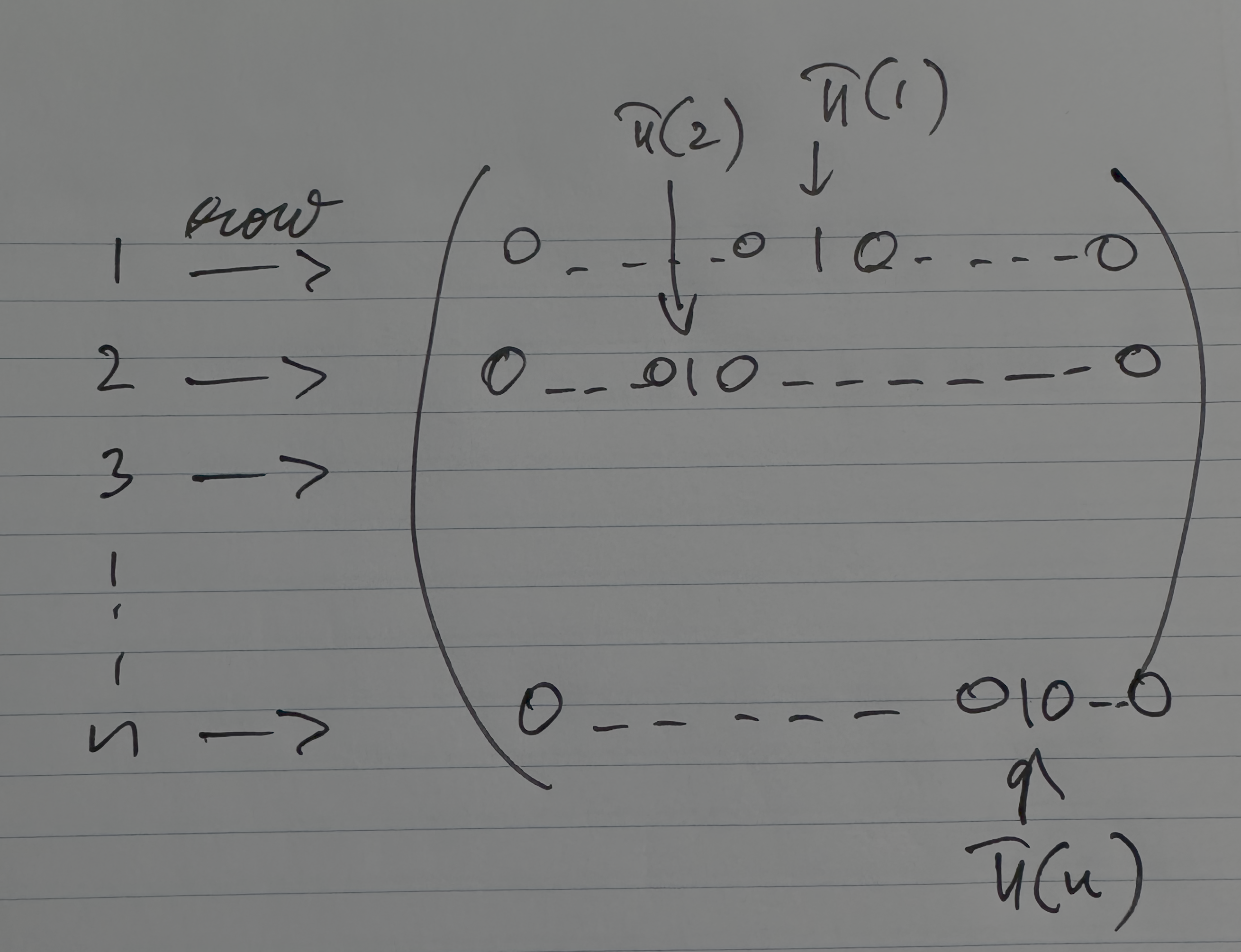
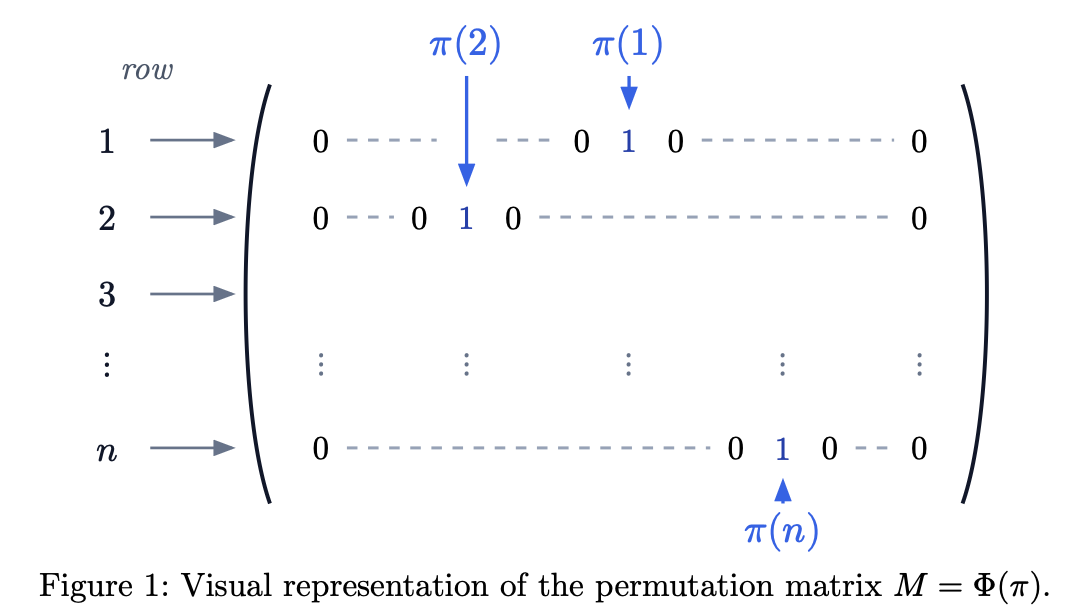
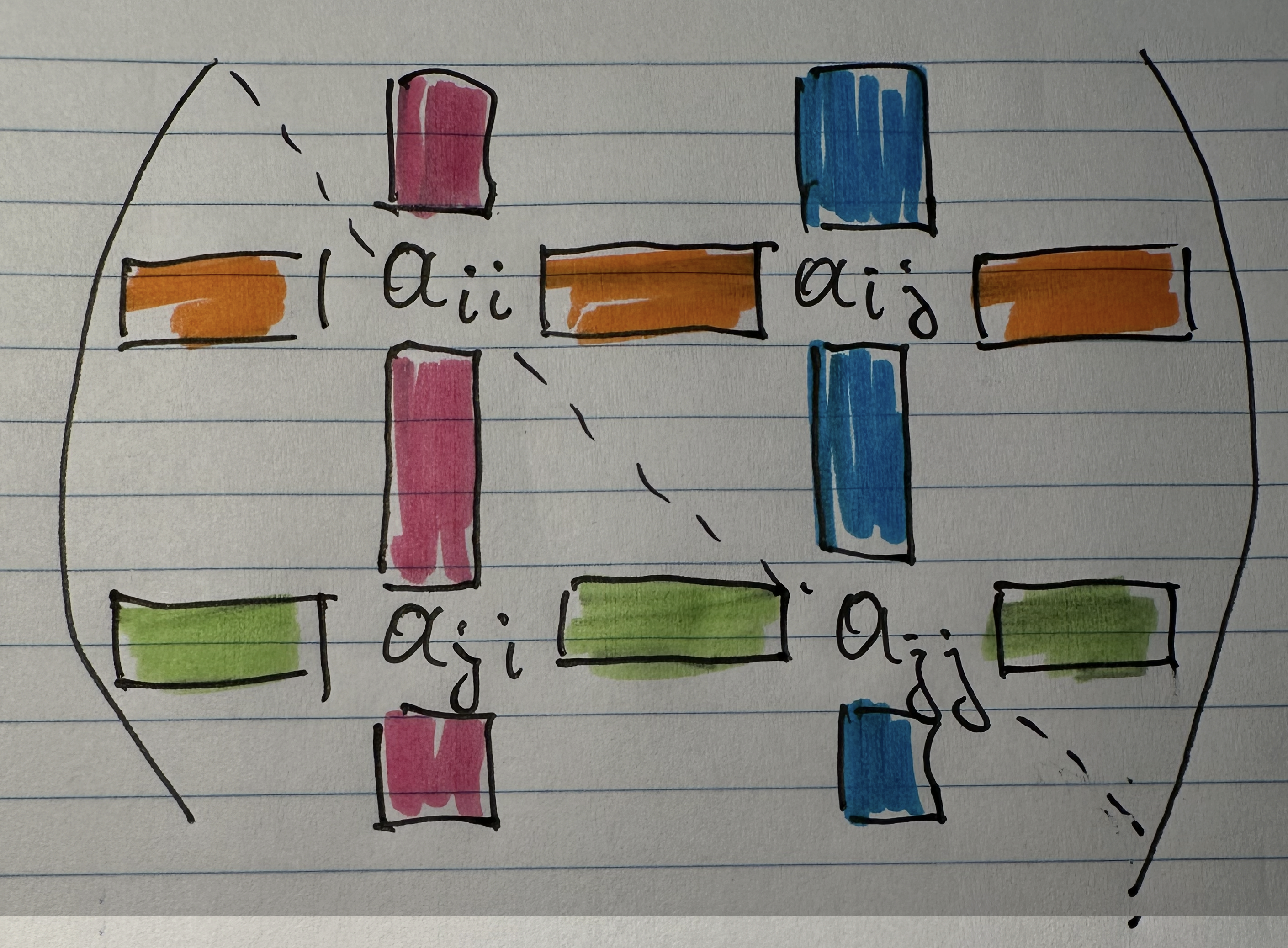
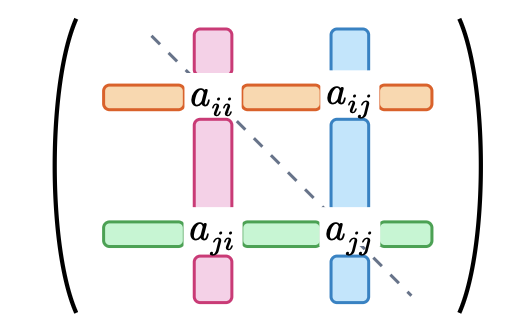
I use Typst to write down math stuff like solutions to exercises from math books I read or little notes of topics that interest me. Writing it down helps me work through it and understand it. Sometimes I even publish some of it on this very blog. Nobody ever reads any of it. Trust me, I know. I have umami.is installed. So I’m not too worried that I make mistakes or have some gaps in a proof or completely misunderstood something. But now I have a very capable proofreader and editor at my disposal. I use Claude to go over my writing and find the errors (it is pretty humbling 🙂). I also use Claude to help me with the Typst formatting and I use it to make me the figures in Cetz. I give it hand-drawn pictures like the ones below and it does an incredible job transforming them into Cetz figures like in this paper.
Study buddy, Tutor#
I always wanted a study buddy and tutor for my silly math hobby. I get stuck a lot and need help. Asking more skilled people is awkward, they don’t want to waste their time with my silly stuff. Now of course I can have the most patient, always available super study buddy. The only thing I need to keep in mind is to restrain myself and not seek help too quickly. Some amount of struggle and friction is good for learning and understanding.
As an aside: I have VSCodium as a second IDE besides Antigravity and I keep it Claude-free for the times when I want to practice without the Claude safety net.

Notes organizer, Web Clipper#
I’m not sure if I mentioned this before, but a while ago I migrated from Notion to Obsidian. Notion has become very “enterprisy” and has features that are overkill for individuals. Obsidian is an obvious choice if you want to keep it simple. In Obsidian the vault is composed of plain Markdown files which makes Obsidian a better fit for letting Claude manage it for me.
Notion obviously has AI all over it, I know, I know. Not sure though how to hook up your individual Claude plan to the free Notion tier that I had.
There are people obsessed with Obsidian and it can become quite a rabbit hole. Just follow Nick Milo and friends:
I’m not obsessed. I keep a vanilla Obsidian installation, no extensions/plugins, no rigid folder organization. For new entries I let Claude do the necessary frontmatter, find relevant links into the vault and place it somewhere. If the Obsidian Web Clipper fails to cleanly import web pages with math equations in them, I let Claude fix it. I use Readdown for quickly looking at rendered Markdown.
Pair Programmer with Jujutsu#
Maybe one interesting tip in this post is how Claude and I do “pair editing”. Jujutsu makes it very easy to manage stacked commits and I take advantage of this to isolate changes from each other, not just when editing has reached some milestone towards the goal, but even finer-grained isolation: separating my edits from Claude’s edits using commits. Before any new prompt to Claude I do jj new. If Claude goes down a rabbit hole or breaks something, abandoning or rebasing the change is effortless.
I switched to VisualJJ as my jj VSCode extension and it is a very polished experience.